Automatically identifies the primary spoken or written language of assets.
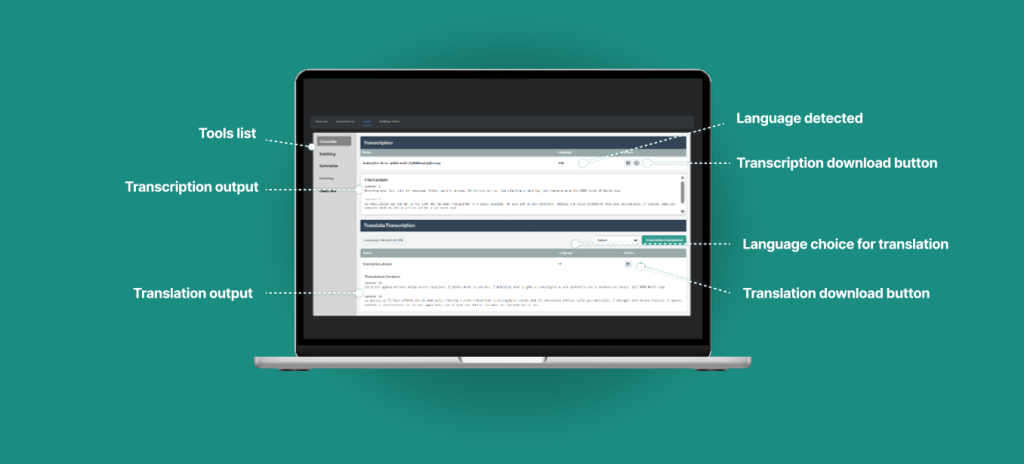
Converts audio dialogue into time-coded text for searchable scripts.
Translation
Subtitling
Converts transcripts or text into supported target languages for localization.
Produces synchronized .srt files for multilingual captions and accessibility.
Dubbing
Multilingual Cross-Node Search
Replaces original audio with AI-generated voices in target languages.
Queries and retrieves assets across federated nodes in multiple languages.
Tagging
Text Too Speech
Extracts relevant keywords and descriptive labels from visual content.
Transforms written text into natural-sounding audio with various voices.
Video Editing Tools
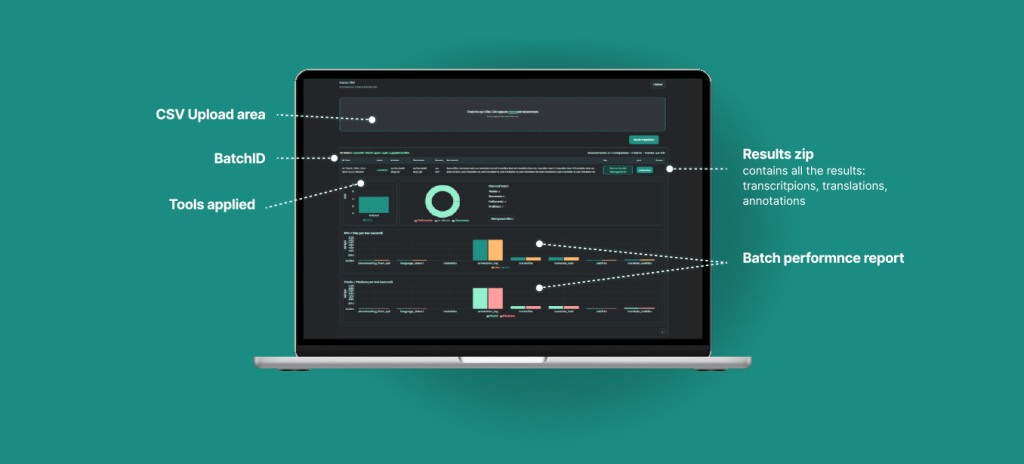
Bulk Upload
Provides browser-based trimming and clipping for fast content repurposing.
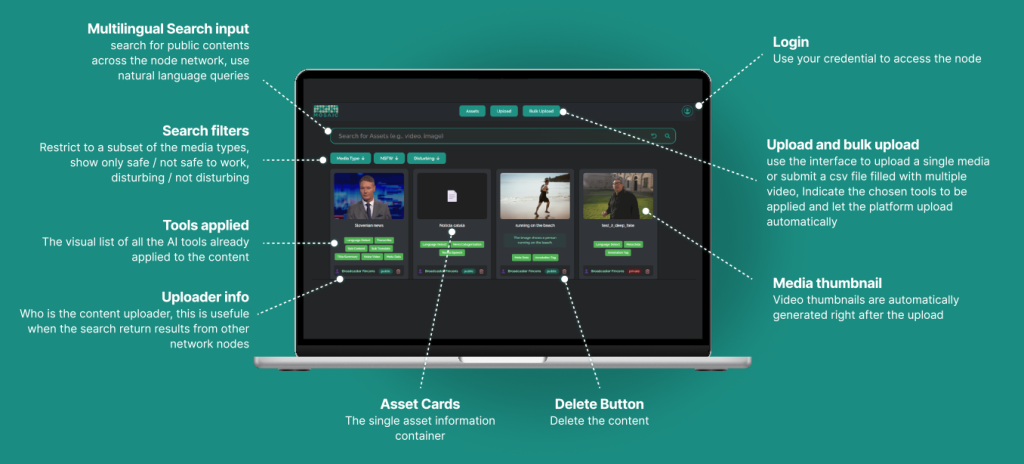
Submit a csv file containing multiple video, choose the tools to be applied and let the platform do the work.
THE TECH STACK
Content intelligence
Captioning
Object Detection
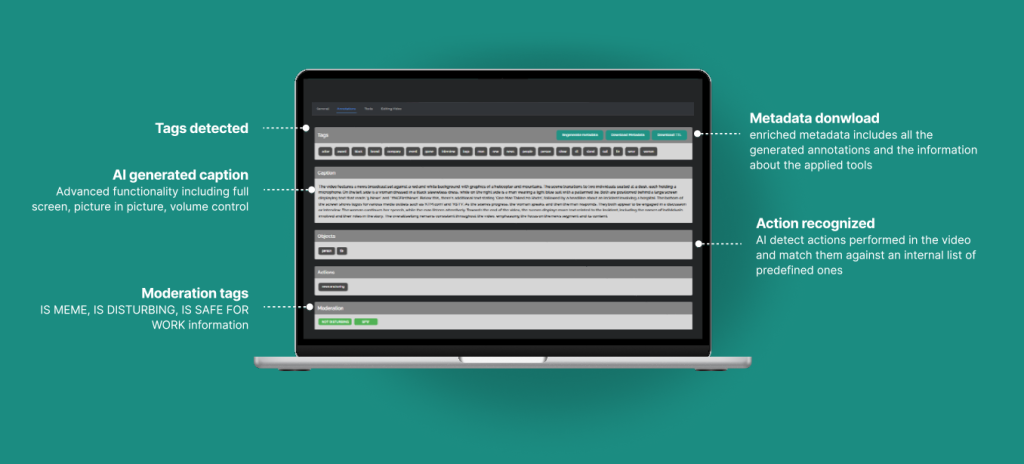
Generates descriptive sentences explaining the visual context of media.
Identifies and tracks specific physical objects appearing within frames.
Action Recognition
Moderation
Detects and classifies specific human activities or events in videos.
Flags inappropriate content including NSFW, memes, and disturbing imagery.
Metadata Enrichment
News Categorization
Automatically categorizes textual contents like news and articles.
VIDEO EDITING TOOLS
Manipulate video resources
Format Conversion
Frame Extraction
Converts original video files into the following standard formats outlined below, for compatibility and enabled asset download: MP4, MOV, MKV, AVI, WMV.
Allows users to select a specific frame from the video timeline to generate high quality still images or GIF previews.
Scaling & Dropping
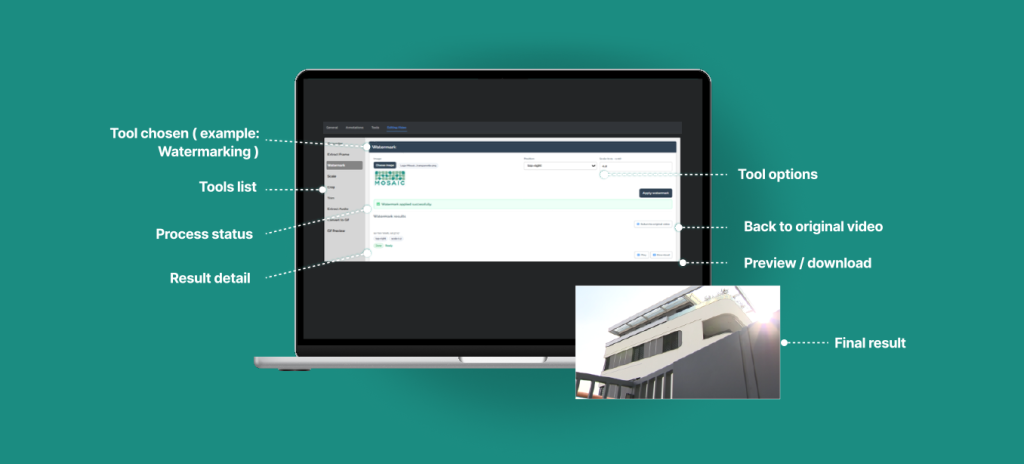
Watermarking
Provides tools for resizing videos to predefined or free-form dimensions and cropping frames to specific aspect ratios.
Enables the application of custom watermarks. Users can configure the position (corners or center) and scaling factor of the watermark image.
Trimming
Audio Extraction
A timeline-based interface allows users to define start and end points to extract specific clips from a longer recording.
Strips the audio track from video files, providing it as a standalone audio asset (essential for separate speech-to-text processing).
GIF Conversion
GIF Preview
Conversion Converts the video to a series of rolling images.
Creates an animated GIF preview of the video. This capability is also used internally to generate an animated series of thumbnails that are displayed in the assets page as a preview for each video.
USER PROFILES MANAGEMENT
Broadcaster (premium) vs End user (standard)
The MOSAIC platform offers tailored access levels to ensure
both professional control and seamless content discovery
Broadcaster Access (Full)
Designed for media professionals and content managers. This role grants full operational power, including asset ingestion (upload and bulk import), visibility management (public vs. private), and metadata editing. Broadcasters can trigger AI tools like Text-to-Speech generation, use advanced video editing tools, and have direct download permissions for all assets.
User Profile (Consult & Discovery)
Optimized for end-users and citizens focused on content consumption. This role allows for multilingual search, viewing of public assets, and access to already AI-generated subtitles and summaries. However, to protect intellectual property, «User» profiles typically have restricted direct download capabilities and cannot initiate new AI processing tasks.
USER DASHBOAR
Assets list
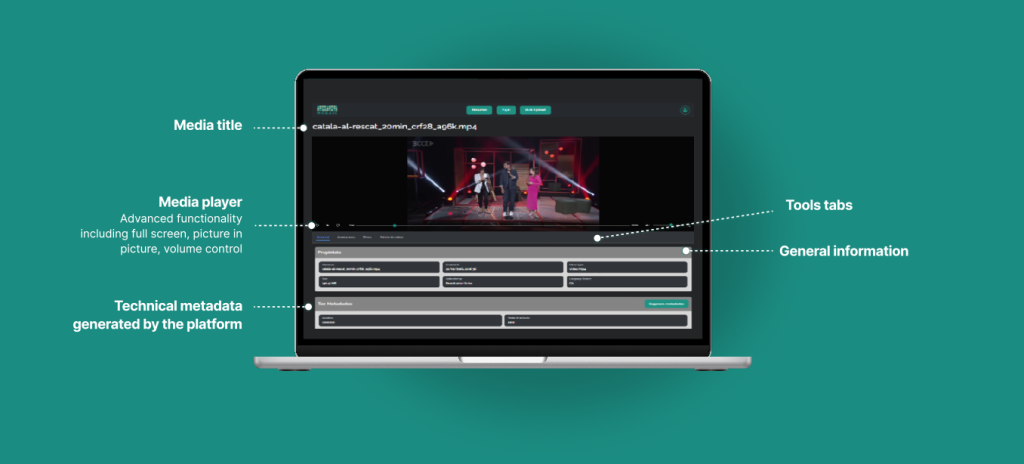
SINGLE ASSET PAGE
General information
ANNOTATIONS
Tags, objects, actions and persons AI-detected
SPEECH PROCESSING TOOLS
Transcription & translation
VIDEO EDITING TOOLS
Edit your contents inside MOSAIC
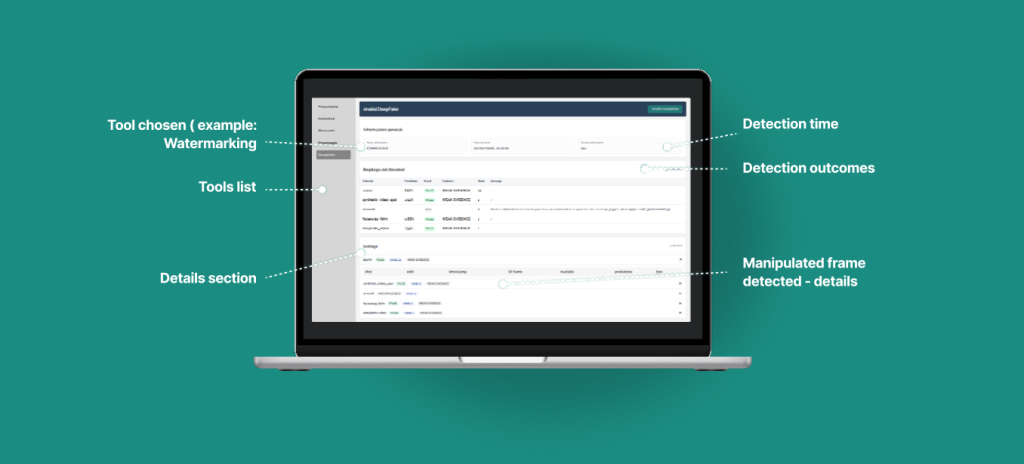
DEEPFAKE DETECTION
Check your video for AI manipulation / generation
BULK UPLOAD CAPABILITY
Avoid the interface when you have several videos to upload